Icon of program: iPaint

iPaint for Mac

  • Free
  • 2.3
    96
  • 107.5K
  • V1.9

iPaint: A Free Graphic Design Tool for Mac

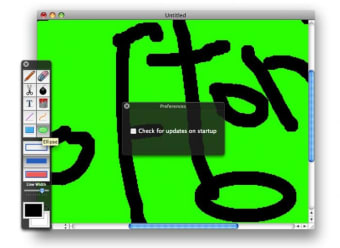
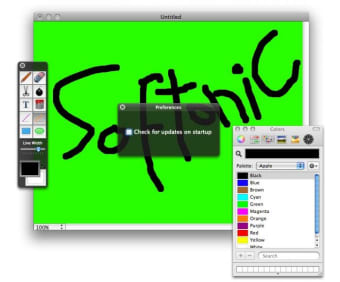
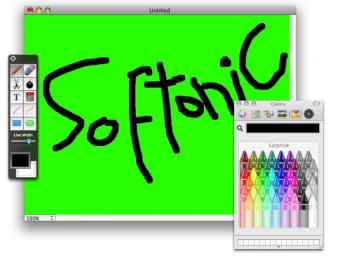
iPaint is a free graphic design application tailored for Mac users, offering a user-friendly interface and a range of drawing tools. It caters to both beginners and seasoned artists, making it an ideal choice for anyone looking to create digital artwork without the need for costly software. The application includes features such as brush customization, layer management, and various color palettes that enhance the creative process.

Top Recommended Alternative

Designed specifically for multimedia projects, iPaint allows users to easily manipulate images and illustrations. With its intuitive design, users can quickly learn how to navigate the program, making it accessible for those new to graphic design. The application supports various file formats, ensuring that users can export their creations for a wide array of uses, from digital presentations to print media.


 0/3

App specs

  • License

    Free

  • Version

    1.9

  • Latest update

  • Platform

    Mac

  • OS

    Mac OS X

  • Language

    English

  • Downloads

    107.5K

    Last month's downloads

    • 4
  • Size

    1.54 MB

  • Developer

Program available in other languages


Icon of program: iPaint

iPaint for Mac

  • Free
  • 2.3
    96
  • 107.5K
  • V1.9

User reviews about iPaint

2.3

4 reviews

Add review

Main reviews for you

  • Anonymous user

    Crash BandIPAINT. Open...crash...open again...crash...place in trash!I have no idea why this doesn't work, i am using the latest generation IMac with MAC OS X 10.6.4.Better wait for version 12. Pros: It's free. Cons: A waste of download time.

  • Anonymous user

    Crash Program. I spent twenty minutes, at least, four times doing some edit work on a photo. Just about the time I thought I was finished it crashed. Four times in a row. Tried to save every couple of minutes and it crashed anyway and l had to start over after I lost all my work. I would rate this program 1/2 of a star solely on the nice icon. Pros: It has a nice icon! That is it. Can't discuss anything else because I could not get it to complete a task. Cons: Crashes every time. Hard to rate the functionality when you can't use it.

  • Anonymous user

    Crashes EVERY time. All I wanted to do was make a couple of boxes, and three stars. Every time I tried to draw the box the program crashed! Pros: Easy to download and install. Cons: Crashed every time I tried to use it!

  • Anonymous user

    Nice and simple. does your basic paint requirements, it's no adobe photo paint or seashore but it will let you draw straight lines, write text and doodle. Pros: simple, easy to use, free Cons: crashes on 10.6 intel. had to run in rosetta to be able to use it

More

You may also like

Alternatives to iPaint

Explore Apps

Latest articles

Laws concerning the use of this software vary from country to country. We do not encourage or condone the use of this program if it is in violation of these laws.
Softonic

Is iPaint safe?

100/100

Score result: Clean

This file passed a comprehensive security scan using VirusTotal technology. It is safe to download.

  • Virus free
  • Spyware free
  • Malware free
  • Verified by Security Partners

    VirusTotal logo

Scan Info

Last scan
Sunday, November 26, 2023
Scan provider
VirusTotal · Full report

File Integrity

File
iP.zip
SHA256
1631d18009c4b9a77014a1481c35dd5610cdd25965854495b2a7d3e875776d20
SHA1
3e83c184bebd6d1695caa0b574b99a2d9ce73d9b

Softonic security commitment

iPaint has been thoroughly scanned by our advanced security systems and verified by industry-leading partners. This file comes from the official developer and has passed all our security checks, showing no signs of viruses, malware, or spyware. For more information, visit our Security and Trust Center